

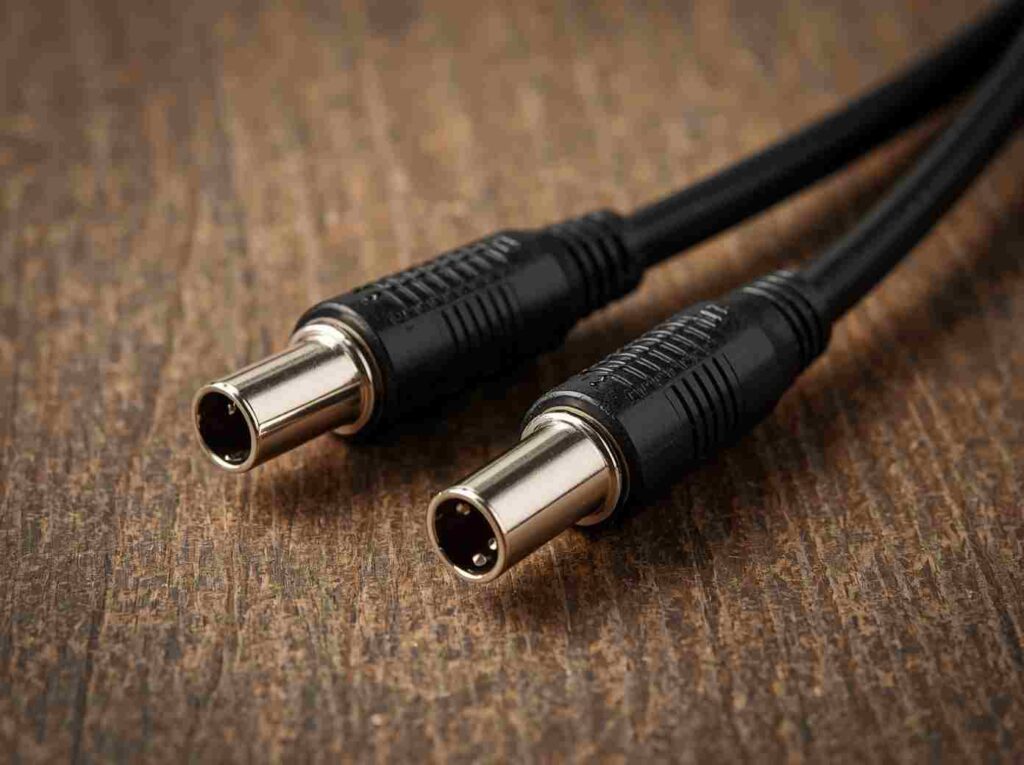
Bottom line up front: The right MIDI cable depends entirely on what you’re connecting. Got a classic synth with 5-pin ports? Grab a 5-pin DIN cable. Hooking a keyboard straight to your laptop? A USB MIDI cable does the job. Working with modern compact gear that uses 3.5mm jacks? You need a TRS MIDI cable — and you’d better check whether it’s Type A or Type B, because mixing them up means nothing works.
I’ve lost count of how many home studios I’ve walked into where someone’s wrestling with a MIDI connection that should have taken thirty seconds to sort out. Nine times out of ten, it’s the wrong cable. The tenth time, it’s a cable that’s too long and the signal’s degraded to the point where note-off messages are getting dropped — which is a special kind of frustrating when your synth won’t stop playing that one pad chord.
This guide walks through every MIDI cable type you’re likely to encounter, what each port on your gear actually does, and how to avoid the mistakes that waste your time and money.
What a MIDI Cable Actually Carries
Let’s get this out of the way first, because it’s the single most misunderstood thing about MIDI: a MIDI cable does not carry audio. Not even a little bit. What travels through that cable is performance data — note numbers, velocity values, pitch bend information, control change messages. Think of it as a digital score that tells one device what another device just played.
When you press middle C on a MIDI keyboard, the cable sends a short burst of data: “Note On, channel 1, note 60, velocity 97.” When you let go: “Note Off, channel 1, note 60.” That’s it. The receiving device — a synth module, a DAW, a drum machine — takes that data and generates the actual sound.
This matters because it means MIDI cables don’t need the same heavy shielding that audio cables require. A MIDI signal runs at about 31.25 kbps — glacial by modern standards — and each cable can carry 16 independent channels of data simultaneously. One cable, sixteen instruments. That’s been the standard since 1983, and it still works.
The Three MIDI Ports You’ll See on Gear
Most MIDI hardware has some combination of three ports, and understanding what each one does saves a lot of head-scratching:
- MIDI IN — Receives incoming data. This is where you plug the cable coming from your controller or sequencer.
- MIDI OUT — Sends data generated by this device. Connect this to the MIDI IN of whatever you want to control.
- MIDI THRU — Passes through an exact copy of whatever arrives at MIDI IN. This is how you daisy-chain multiple devices without needing a separate output for each one.
The THRU port is the one beginners overlook. Say you’ve got a sequencer, a synth module, and a drum machine. You run sequencer OUT → synth IN, then synth THRU → drum machine IN. Both sound sources receive the same MIDI stream, and each responds to its assigned channel. Clean, simple, no extra hardware needed.
Quick tip: MIDI IN ports use an optical isolator to prevent ground loops. This means each device’s electrical ground stays separate — no hum, no noise, even when you’ve got a rack full of interconnected gear. It’s one of the smartest design decisions in the original MIDI spec.
MIDI Cable Types: What You’ll Actually Find
5-Pin DIN MIDI Cable
This is the original. Big, round connector, five pins arranged in a semicircle — though only three of those pins are actually used for data (pins 4 and 5 carry the signal, pin 2 is the shield). The other two were reserved for future use that never materialized.
5-pin DIN cables remain the standard for connecting traditional MIDI hardware: keyboards to sound modules, sequencers to synths, drum machines to samplers. They’re unidirectional — data flows one way — which is why every device needs separate IN and OUT ports.
One thing these cables do well: distance. A quality 5-pin DIN cable can reliably push MIDI data 50 feet without a repeater. For stage setups where your keyboard rig is 30 feet from your rack, that’s genuinely useful. They’re also dirt cheap and available everywhere.
The downside? Your computer doesn’t have a 5-pin DIN port. Never has, never will. So if you’re connecting to a DAW, you’ll need either a MIDI interface or a different cable type.
USB MIDI Cable
USB MIDI cables solve the computer problem directly. One end has a standard USB connector (usually USB-A, sometimes USB-C on newer cables), the other end has one or two 5-pin DIN connectors labeled IN and OUT. Plug the USB side into your computer, the DIN ends into your synth or controller, and you’re done.
Most modern USB MIDI cables are class-compliant — plug them in and they work, no driver installation needed. They’re bidirectional by nature, handling both sending and receiving over a single USB connection. Latency is generally low enough that you won’t notice it unless you’re running a massive project with dozens of tracks.
The catch? Cheap USB MIDI cables are everywhere, and they’re unreliable. I’ve seen $8 cables from random Amazon brands drop notes, introduce timing jitter, or just stop working after three months. If you’re doing anything beyond casual noodling, spend the extra $15 on something from a brand with a reputation to protect.
For manufacturers and OEM buyers who need consistent quality in larger volumes, working with a custom cable assembly supplier ensures every cable meets spec — not just the one they sent for review.
TRS MIDI Cable (Type A vs Type B)
Here’s where things get annoying. As hardware got smaller — pocket-sized synths, compact pedalboard controllers, mobile music gear — the chunky 5-pin DIN connector became a space problem. The solution: run MIDI over a 3.5mm TRS (tip-ring-sleeve) jack, the same physical connector your headphones use.
Simple enough, except the MIDI Manufacturers Association didn’t standardize the wiring right away. Two competing pinouts emerged:
| Type A | ||
|---|---|---|
| Tip | Pin 5 (Data) | Pin 4 (Data) |
| Ring | Pin 4 (Data) | Pin 5 (Data) |
| Sleeve | Pin 2 (Shield) | Pin 2 (Shield) |
| Used by | Korg, Make Noise, IK Multimedia, Teenage Engineering (some) | Novation, 1010 Music, Arturia (early models) |
Plug a Type A cable into a Type B device and nothing happens. The data pins are swapped. MIDI 2.0 officially settled on Type A as the standard, but plenty of Type B gear is still in circulation. Always check your device’s manual before buying a TRS MIDI cable — or keep a couple of OEM-spec adapter cables in your kit bag.
Wireless MIDI (Bluetooth and Wi-Fi)
Cables aren’t the only option anymore. Bluetooth MIDI has become genuinely usable in the last few years — low enough latency for live performance in most cases, with a range of about 10 meters. Most modern MIDI controllers ship with Bluetooth built in, and adapters exist for older gear.
Wi-Fi MIDI takes it further: longer range, more stable connection, support for multiple devices on a single network. It’s overkill for a simple keyboard-to-laptop setup, but for complex stage rigs or studio configurations where running cables is impractical, it’s worth considering.
The tradeoff is reliability. A cable works every time. Wireless works most of the time. For critical applications — live shows, recording sessions — I still trust copper.
How to Choose: Common Setup Scenarios
MIDI Keyboard → Computer
Simplest case. If your keyboard has a USB port, use a standard USB cable (usually USB-B on the keyboard side, USB-A or USB-C on the computer side). Most modern controllers work this way — they show up as a MIDI device in your DAW without any extra steps.
If your keyboard only has 5-pin DIN ports, you need a USB MIDI interface cable. The M-Audio Uno is the classic choice, but there are plenty of alternatives. Plug the MIDI OUT from your keyboard into the interface’s MIDI IN, connect USB to your computer, select it in your DAW’s MIDI settings, done.
Controller → External Sound Module (No Computer)
5-pin DIN cable, MIDI OUT on the controller to MIDI IN on the module. That’s the whole setup. If you’re controlling multiple modules, use the THRU port on the first module to feed the second, and so on down the chain. Assign each module a different MIDI channel so they don’t all play the same notes.
For larger rigs with more than three or four devices, a dedicated MIDI thru box is worth the investment. Daisy-chaining through too many THRU ports can introduce slight timing delays, and a powered thru box eliminates that problem entirely.
Pedalboard with MIDI-Switching Effects
TRS MIDI cables are the standard here. Compact, flexible, and designed for the tight spaces of a pedalboard. Just verify whether your pedals use Type A or Type B before ordering. Some pedalboard-friendly cables come with right-angle connectors on one or both ends, which makes routing significantly cleaner.
For pedalboard builds where cables take a beating — stepped on, packed up, thrown in a van — overmolded cable assemblies hold up far better than standard molded connectors. The overmolding process creates a single seamless housing around the connector junction, which means no weak point where the cable meets the plug.
Cable Quality: What Actually Matters
MIDI cable marketing loves to throw around terms like “oxygen-free copper” and “gold-plated connectors.” Here’s what actually makes a difference:
- Shielding. A braided shield is better than a spiral-wrapped one, especially in electrically noisy environments. If your cable runs near power supplies or transformers, good shielding prevents data corruption. This is where shielded cable assemblies earn their keep — proper braided shielding throughout the entire cable length, not just a foil wrap that tears at the first bend.
- Connector build quality. Gold-plated contacts resist corrosion, which matters in humid environments. But the mechanical construction matters more — a solid metal shell with proper strain relief will outlast any fancy plating on a cheap plastic connector.
- Length. The MIDI spec says 50 feet maximum. In practice, stay under 20 feet whenever possible. Beyond that, even good cables can develop enough capacitance to round off the sharp edges of the digital signal, causing missed messages. If you genuinely need a longer run, use a MIDI repeater or switch to a network-based solution.
- Wire gauge. For the short runs most people use (3 to 10 feet), gauge barely matters. For longer runs, 24 AWG or thicker helps maintain signal integrity.
Real talk: A $12 MIDI cable from a reputable brand will perform identically to a $40 “audiophile” MIDI cable in 99% of setups. MIDI is digital. The data either arrives intact or it doesn’t. There’s no “warmer” MIDI signal. Save your money for things that actually affect your sound.
Common MIDI Cable Mistakes
- Buying a cable that’s too short. MIDI cables are cheap. Buy one two feet longer than you think you need. Rerouting your entire desk layout because a cable is six inches short is not how you want to spend an evening.
- Mixing up IN and OUT. MIDI OUT goes to MIDI IN. Always. If nothing’s happening, swap the connectors before you start troubleshooting drivers.
- Ignoring the TRS type mismatch. Type A cable into Type B gear = silence. No error message, no warning light, just nothing. Check your manuals.
- Using audio cables for MIDI. A 5-pin DIN MIDI cable and a 5-pin DIN audio cable look identical. They’re not. MIDI cables use twisted-pair wiring with specific impedance characteristics. An audio DIN cable might work, or it might drop every third note-off message. Don’t risk it.
- Daisy-chaining too many devices through THRU. Each THRU port adds a tiny delay. After four or five devices in a chain, the last one in line can develop noticeable timing issues. Use a powered MIDI thru box instead.
Frequently Asked Questions
Can I use a regular audio cable as a MIDI cable?
If it’s a 5-pin DIN connector, it’ll physically fit — but that doesn’t mean it’ll work reliably. MIDI cables are wired specifically for digital data transmission with twisted-pair construction. An audio DIN cable might pass signal, but dropped notes and timing glitches are common. Use a cable labeled for MIDI.
What’s the difference between USB-to-MIDI and MIDI-to-USB?
Same cable, different naming convention. Both refer to a cable with USB on one end and 5-pin DIN MIDI connectors on the other. The directionality comes from which DIN connector (IN or OUT) you plug into which port on your device.
Do I need a MIDI interface if my keyboard has USB?
No. If your keyboard connects directly via USB and shows up as a MIDI device in your computer, you don’t need a separate interface. MIDI interfaces are for gear that only has 5-pin DIN ports, or for setups with multiple MIDI devices that need to connect to a single computer.
How do I know if my gear uses TRS MIDI Type A or Type B?
Check the manual. If you’ve lost the manual, search the manufacturer’s website. If that fails, the MIDI Association maintains a compatibility list. As a last resort, try a Type A cable first — it’s the official MIDI 2.0 standard and more widely adopted.
Does MIDI cable length affect latency?
Not in a meaningful way. MIDI data travels at near-light speed through copper. A 20-foot cable adds nanoseconds of delay — completely imperceptible. What long cables can cause is signal degradation, which manifests as dropped or corrupted messages, not as timing lag.
When Off-the-Shelf Cables Aren’t Enough
Most musicians can grab a MIDI cable off the rack and get to work. But if you’re building products that include MIDI connectivity — audio interfaces, synth modules, controller keyboards, pedalboard systems — the equation changes. You need cables built to your exact specifications: connector orientation, jacket material, shielding type, length tolerance, and consistency across production runs.
That’s where working with a specialized OEM cable manufacturer makes the difference. Instead of adapting your product design to whatever cables are available, you get cables built to your design — with the connectors, shielding, and strain relief your application demands. Whether it’s a short-run prototype or a production order in the thousands, custom cable assemblies eliminate the compromises that come with off-the-shelf parts.