

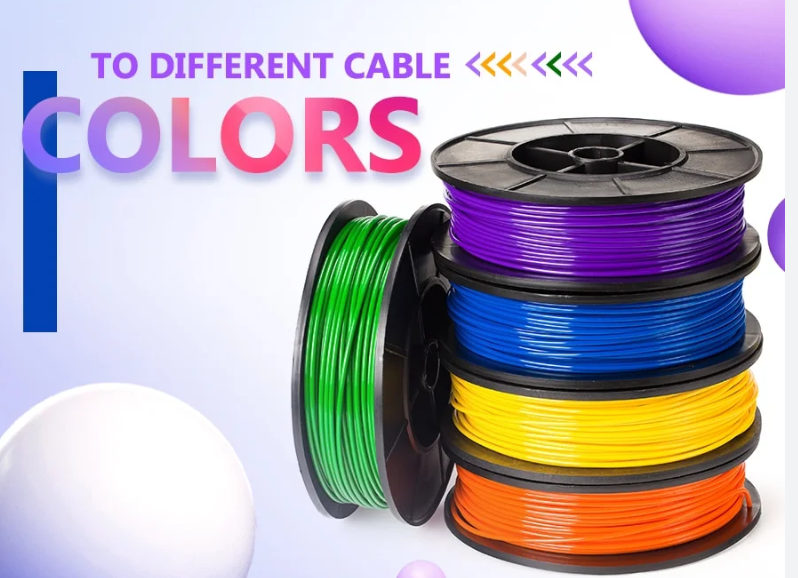
At OukeTech, we are frequently asked questions regarding standard wire and cable colors, so here are the answers.In modern network deployment, industrial control, and home wiring scenarios, cable colors are far more than aesthetic choices — they form a silent language that engineers, electricians, and procurement buyers rely on every day. A single wrong color in a Cat6 patch panel can trigger hours of troubleshooting; a mismatched PoE jacket can mislead a security team during an emergency. The Ultimate Guide to Different Cable Colors and Their Purposes is built to eliminate that confusion once and for all. This guide unifies global standards, dissects every common jacket color, decodes T568A/T568B internal pair logic, and delivers scenario-based selection rules that you won’t find scattered across other resources. Whether you’re racking a 48-port switch, pulling drops in a new office, or buying bulk spools for a factory floor, the next 3,000+ words will give you a single source of truth.
1. Why Cable Color Coding Matters More Than You Think
Most users assume cable color is a manufacturer preference. It’s not. Color coding is a functional system designed to reduce human error, accelerate troubleshooting, and enforce compliance with structured cabling standards. In a data center with 5,000+ patch cords, a technician without color logic can waste 40–60% more time tracing circuits.
The pain points are universal. Network engineers face mislabeled trunks during midnight outages. Electricians risk safety violations when low-voltage and high-voltage runs share the same color. DIY users buy random colors and lose track of which cable feeds the printer versus the NAS. Procurement buyers over-order inventory because no internal color policy exists.
A disciplined color scheme solves all four. It turns a tangled rack into a readable map, shortens MTTR (mean time to repair), and signals professionalism to auditors. This is why every serious facility — from hyperscale data centers to hospital ICUs — enforces color rules from day one.
2. What Is Cable Color Coding? Core Functions and Industry Value
Cable color coding is the systematic assignment of jacket and conductor colors to specific functions, network segments, voltage levels, or ownership domains. It operates on two layers simultaneously: the outer jacket color (what you see on the cable run) and the internal conductor color (what you see when you strip the jacket for termination).
The outer jacket communicates purpose at a glance — for example, blue for general data, red for security, yellow for PoE. The internal pair colors follow strict pinout standards (T568A or T568B) that guarantee electrical compatibility between any two compliant terminations worldwide.
Beyond visual identification, color coding delivers four measurable benefits: faster moves/adds/changes (MAC), reduced cross-connect mistakes, simplified compliance audits, and clearer documentation in CAD drawings and DCIM platforms. For mission-critical environments, it’s not optional — it’s an operational requirement written into SLAs.
When you’re sourcing bulk inventory for a multi-site rollout, working with a supplier that understands these distinctions matters. [reserved anchor: custom cable assembly manufacturer → ouketech.com URL] can help align jacket colors with internal policy across thousands of units.
3. Global Official Standards: TIA-606-D, T568A/T568B, and ISO/IEC 11801 Compared
Three standards govern professional cable color usage. Confusing them is the single biggest source of field errors.
3.1 TIA-606-D — The Administration Standard
Published by the Telecommunications Industry Association, TIA-606-D defines labeling, identification, and color recommendations for telecommunications infrastructure in commercial buildings. It is not a wiring pinout standard. Its color guidance is advisory and focuses on backbone, horizontal, and equipment identification:
- Orange — Demarcation point (carrier handoff)
- Green — Network connection on customer side of demarc
- Purple — Common equipment (PBX, servers, switches)
- White — First-level backbone
- Gray — Second-level backbone
- Blue — Horizontal cabling to work areas
- Brown — Inter-building backbone
- Yellow — Auxiliary, security, alarm circuits
- Red — Key telephone systems and emergency
3.2 T568A vs T568B — The Pinout Standards
These two define the internal eight-wire pin assignment in RJ45 terminations. Both are electrically identical; the difference is which pair sits on pins 1–2 versus 3–6.
| Pin | T568A | T568B |
| 1 | White/Green | White/Orange |
| 2 | Green | Orange |
| 3 | White/Orange | White/Green |
| 4 | Blue | Blue |
| 5 | White/Blue | White/Blue |
| 6 | Orange | Green |
| 7 | White/Brown | White/Brown |
| 8 | Brown | Brown |
T568B dominates North American commercial installations. T568A is preferred by U.S. federal projects and residential installs aligned with older Bell System practice. The golden rule: pick one standard per facility and never mix them on the same run. Crossover cables (T568A on one end, T568B on the other) are now legacy — modern Auto-MDIX switches handle the swap automatically.
3.3 ISO/IEC 11801 — The International Standard
ISO/IEC 11801 is the global counterpart used across Europe, Asia, and most non-U.S. markets. It harmonizes with TIA but uses class-based naming (Class D = Cat5e, Class E = Cat6, Class EA = Cat6A, Class F = Cat7, Class FA = Cat7A, Class I/II = Cat8). Color guidance under 11801 is less prescriptive about jacket color and more focused on performance class — leaving jacket color decisions to the facility owner’s policy.
Conflict resolution tip: When TIA and an in-house policy disagree, document the override in your administration record and apply it consistently. Auditors accept deviations that are documented; they reject deviations that are silent.
4. Ethernet Jacket Colors: Full Purpose Guide
Blue
The default color for general data and horizontal runs to work areas. Blue is the safest choice when no other color policy applies. Most Cat5e, Cat6, and Cat6A bulk spools ship in blue because it’s the highest-volume SKU.
Yellow
Reserved for PoE-powered devices in modern deployments — IP cameras, VoIP phones, wireless access points, access control readers. Yellow signals “this cable carries DC voltage; do not unplug without checking.” Some legacy environments use yellow for alarm/auxiliary circuits per TIA-606-D; clarify before deployment.
Red
Indicates emergency, key telephone, security, or critical fire-system circuits. Red is a high-attention color — never use it for general data. In data centers, red often marks redundant power or out-of-band management links.
Green
Marks the customer-side demarc connection or, in many enterprises, inter-VLAN and routing uplinks. Green is also used in some hospital environments for medical-device isolated networks.
Black
Used for AV, multimedia, or general non-critical infrastructure. Black is also common in outdoor and industrial direct-burial cables because the carbon content provides UV resistance. Black jackets in a rack usually indicate vendor-supplied factory cables.
White
Per TIA-606-D, white identifies the first-level (primary) backbone. In residential and SMB setups, white is also chosen for aesthetic reasons — it disappears against white walls and ceilings.
Gray
Designates the second-level backbone in TIA-606-D. In data centers, gray is widely repurposed for inter-rack server-to-switch links because it photographs cleanly in documentation.
Orange
The demarcation point color — where the carrier hands off to the customer. Orange Cat6A is also extremely common for 40G/10G high-performance links in some vendor ecosystems. In fiber, orange jackets indicate OM1/OM2 multimode fiber, so confirm copper vs fiber before plugging in.
Purple
TIA-606-D assigns purple to common equipment (PBX, core switches, servers). In practice, purple is rare and often repurposed for management VLANs or isolated lab networks.
A clean facility policy uses no more than 5–6 active colors. Beyond that, technicians stop trusting the system.
5. Internal Twisted Pair Wire Colors and Cable Construction
Inside every Ethernet cable sit four twisted pairs, eight conductors total. The pair colors are universal across Cat5e through Cat8: blue, orange, green, brown — each paired with a white-striped counterpart of the same color.
Pair Function Logic
In 10/100BASE-T, only pairs 2 (orange) and 3 (green) carry data; pairs 1 (blue) and 4 (brown) are unused. In 1000BASE-T (Gigabit) and faster standards, all four pairs carry data simultaneously in full-duplex mode. This is why a damaged blue or brown pair that “worked fine” on a 100 Mbps link suddenly fails when the switch negotiates to gigabit.
Straight-Through vs Crossover
A straight-through cable uses the same standard (T568A or T568B) on both ends — the modern default for connecting a PC to a switch, AP to a switch, or any device-to-infrastructure link.
A crossover cable uses T568A on one end and T568B on the other, swapping the transmit and receive pairs. Historically required for switch-to-switch or PC-to-PC links. Today, Auto-MDIX makes crossovers obsolete in 99% of deployments — but they still appear in legacy industrial controls and older managed switches.
Cat5e vs Cat6 vs Cat7 Color Differences
The internal pair colors are identical across categories. What changes is the construction:
- Cat5e: 24 AWG conductors, no spline, supports 1 Gbps to 100 m
- Cat6: tighter twists, internal plastic spline (X-shape) to reduce crosstalk, supports 1 Gbps to 100 m and 10 Gbps to 55 m
- Cat6A: thicker jacket, often with shielding (F/UTP or S/FTP), 10 Gbps to 100 m
- Cat7 / Cat7A: individually shielded pairs (S/FTP), GG45 or TERA connectors, 10 Gbps to 100 m at higher frequency
- Cat8: dual-shielded, 25/40 Gbps to 30 m, designed for top-of-rack data center use
Jacket color is independent of category. A blue jacket might be Cat5e or Cat6A — always read the printed legend on the cable for the actual specification. For procurement teams standardizing on a category, working with a vetted [reserved anchor: bulk Ethernet cable supplier → ouketech.com URL] ensures the printed legend, conductor gauge, and shielding match the spec sheet.
6. Other Common Cable Colors: USB, HDMI, Audio, Power
Cable color logic extends well beyond Ethernet.
USB Internal Colors
USB-A connectors traditionally use four wire colors: red (+5V VBUS), white (D-), green (D+), black (GND). USB 3.0 adds five more conductors with their own color scheme (blue, yellow, purple) for SuperSpeed pairs. The connector tongue is white for USB 2.0, blue for USB 3.0/3.1, teal for USB 3.2, red for always-on charging ports, and yellow for
HDMI Cable Colors
HDMI jackets are usually black, but premium variants use gray, white, or red to signal certified high-speed (4K/8K) support. The internal 19-conductor scheme follows the HDMI specification — color identification is mostly used by manufacturers during termination, not end users.
Audio Cable Colors
Consumer audio uses the universal RCA color code: red = right channel, white (or black) = left channel, yellow = composite video. In professional balanced audio (XLR, TRS), conductor colors follow IEC 60268-12: red or white for hot (+), black or blue for cold (−), shield for ground.
Power Cable Colors (North America vs IEC)
| Function | North America (NEC) | IEC 60446 (Europe/most of world |
| Hot/Live | Black | Brown |
| Neutral | White | Blue |
| Ground | Green or Green/Yellow | Green/Yellow |
| Hot (240V leg 2) | Red | Black or Gray |
Never assume. A black wire is hot in the U.S. but neutral in older European installations. Always test with a meter before working on power circuits.
7. Cabling Best Practices and Common Wiring Mistakes
Color discipline only pays off when paired with execution discipline. The mistakes below appear in 70% of audits.
Mistake 1 — Mixing T568A and T568B on the same drop. Causes intermittent gigabit failures that pass basic continuity tests. Fix: pick one standard per site and label every patch panel.
Mistake 2 — Untwisting pairs more than 13 mm at termination. Destroys near-end crosstalk performance. Fix: keep untwist length under 0.5 inch for Cat6/6A.
Mistake 3 — Using indoor PVC cable outdoors. UV degrades the jacket within 12–18 months. Fix: specify UV-rated polyethylene jackets for any external run.
Mistake 4 — Color anarchy in patch panels. Three blues, two greens, one yellow, no logic. Fix: publish a one-page color policy, laminate it, post it in the IDF.
Mistake 5 — Bend radius violations. Sharp 90° bends at racks crush conductors. Fix: minimum 4× cable diameter for unshielded, 8× for shielded.
Mistake 6 — Treating cable color as the label. Color identifies category of use; printed labels identify the specific circuit. You need both.
Mistake 7 — Ignoring plenum vs riser ratings. A blue Cat6 in plenum space must be CMP-rated regardless of color. Fire code overrides color preference every time.
8. Scenario-Based Color Selection Checklist
This is the section other guides skip. Use it as a template and adapt to your environment.
Home Network
- Blue — Main data drops to TVs, desktops, game consoles
- White — Wall-fished runs where aesthetics matter
- Yellow — PoE for cameras, doorbell, AP
- Avoid red and orange in residential to prevent confusion with electrical
Small/Medium Office
- Blue — User workstations
- Gray — Printer and shared device pool
- Yellow — VoIP phones and PoE APs
- Green — Uplink to ISP router/firewall
- Red — Reserved for emergency phones or alarm panel
Enterprise Data Center
- Blue — Production data
- Gray — Inter-rack server links
- Yellow — Out-of-band management (iDRAC/iLO/BMC)
- Red — Redundant power management or DR replication links
- Green — Storage network (iSCSI/NFS)
- Orange — 10G/40G uplinks (or fiber multimode by jacket convention)
- Purple — Lab/dev isolation
Security and PoE Deployments
- Yellow — IP cameras, access control, intercom
- Black — Outdoor/industrial PoE runs (UV-resistant jacket)
- Use a separate VLAN and color from production data to simplify troubleshooting
Industrial and Factory Floor
- Blue or Gray — Standard PROFINET/EtherNet/IP
- Green — Safety network (PROFIsafe, CIP Safety)
- Yellow — DC-powered field devices
- Red — Emergency stop circuits (often a separate dedicated cable)
- Specify oil-resistant TPE jackets, not PVC
For complex multi-environment rollouts that mix office, data center, and industrial zones, custom-jacketed assemblies from a [reserved anchor: industrial Ethernet cable manufacturer → ouketech.com URL] solve the inventory complexity that off-the-shelf catalogs can’t.
9. FAQs — High-Search-Value Questions
Q1: Does cable jacket color affect performance?
No. Color is purely cosmetic and identification-based. A Cat6A cable performs identically whether the jacket is blue, red, or pink, provided the internal construction meets the category specification.
Q2: Is T568A or T568B better?
Neither is electrically superior. T568B is the de facto North American commercial standard; T568A is mandated for U.S. federal residential projects and aligns with older USOC color logic. Pick one, document it, and apply it site-wide.
Q3: Can I mix Cat5e and Cat6 cables of the same color?
Physically yes, operationally no. Same color but different categories causes performance debugging nightmares. Use color plus the printed legend on the jacket to verify category before patching.
Q4: What color should I use for PoE runs?
Yellow is the most common modern convention because it visually warns technicians that DC voltage is present. Blue is acceptable if PoE is universal in your environment. Document whichever you choose.
Q5: Why do my crossover cables no longer work on new switches?
They still work — Auto-MDIX on modern switches automatically detects the swap and adjusts. The crossover concept is functionally retired for any switch built after roughly 2005.
Q6: Are colored cables more expensive than blue?
Slightly, due to lower production volume. Expect a 5–15% premium on red, yellow, green, and purple. Black and white usually price near blue. For bulk orders above 1000 ft, the premium often disappears with custom runs.
Q7: What does an orange Ethernet cable mean in a data center?
Two possibilities: a TIA-606-D demarcation handoff, or a vendor-specific high-performance Cat6A/Cat7 link. Always check documentation — never assume orange means the same thing across two facilities.
Q8: How do I match cable colors to a structured cabling rack?
Build a one-page legend: column 1 = color, column 2 = function, column 3 = VLAN/circuit type. Laminate it. Post it inside every IDF/MDF cabinet door. Train every technician before they touch a patch panel.
Q9: Do shielded (STP) cables come in the same colors as UTP?
Yes, but selection is narrower. Blue, gray, and black dominate STP/FTP inventory. Specialty colors usually require minimum order quantities from manufacturers.
Q10: Can I paint or mark cables to add color identification?
Avoid painting — solvents degrade PVC and LSZH jackets. Use colored heat-shrink boots, velcro flags, or printed labels at both ends. These are auditor-friendly and reversible.
10. Summary and Practical Recommendations
The Ultimate Guide to Different Cable Colors and Their Purposes comes down to three operational truths. First, color is a system, not a decoration — it only delivers value when applied consistently across a site. Second, jacket color and internal pair color serve different functions; jacket communicates purpose, internal pairs guarantee electrical compatibility through T568A or T568B. Third, standards (TIA-606-D, ISO/IEC 11801) provide the framework, but your site policy is what technicians actually follow at 2 a.m. during an outage.
Practical next steps for any team:
- Audit your current cabling. Photograph every rack, count active colors, identify policy violations. 2. Publish a one-page color standard. Five to six colors maximum. Distribute to every technician and contractor. 3. Align procurement to the policy. Stop ad-hoc purchases. Source from suppliers who can deliver consistent jacket batches across years — color shifts between manufacturing runs are real and disruptive. 4. Label, don’t just color. Printed labels at both ends of every run, matched to a DCIM or spreadsheet inventory. 5. Re-train annually. New hires inherit bad habits within weeks if no formal onboarding exists.
For organizations standardizing across multiple sites or running specialty applications — medical, industrial, outdoor, custom-length assemblies — a partnership with a manufacturer that controls jacket color, conductor gauge, shielding, and certification end-to-end eliminates the silent variability that off-the-shelf cables introduce. That’s the difference between a cabling system that audits clean and one that fights you for years. [reserved anchor: custom Ethernet cable assembly solutions → ouketech.com is the kind of partner worth evaluating when the stakes go beyond a single closet.
Color coding isn’t glamorous. But the day a fiber cut, a power event, or a security incident hits your facility, the cabinet that follows this guide is the one that comes back online first.
Related OUKETECH resources: custom wire harness manufacturing.